Have you ever wondered why some websites climb to the top of search results while yours stays hidden on page five? It often comes down to how well you guide search engines through your content. Small changes can make a massive difference in how people find you online.
Understanding on-page seo optimization tips helps you connect with the right audience. You do not need to be a tech genius to see real growth. By focusing on your website’s content, you create a better experience for every visitor.
Effective website optimization strategies allow your brand to stand out in a crowded digital world. This guide will show you how to polish your pages for better rankings. Are you ready to take your online presence to the next level?
Key Takeaways
- Learn how clear headings improve your search rankings.
- Understand the role of high-quality content for users.
- Discover how to use images effectively for better visibility.
- Find out why a fast user experience matters for SEO.
- Improve your site’s relevance for specific search terms.
- Boost your organic click-through rate with better meta data.
Why On-Page SEO Matters for Your Website’s Success
The importance of on-page SEO cannot be overstated, as it directly impacts your website’s ability to attract and engage with your target audience. On-page SEO refers to the practice of optimizing individual web pages to rank higher and earn more relevant traffic in search engines.
Improving on-page SEO involves several key strategies, including optimizing content, meta tags, and internal linking. By implementing these SEO best practices, you can significantly enhance your website’s visibility and credibility.
One of the primary reasons on-page SEO matters is its effect on search engine rankings. Search engines like Google use complex algorithms to evaluate the relevance and quality of web pages. By optimizing your on-page elements, you can improve your website’s ranking for specific keywords, making it more likely that users will find and visit your site.
Moreover, on-page SEO is crucial for enhancing user experience. When your website is optimized for search engines, it tends to be more organized, faster, and more relevant to the user’s search query. This not only improves engagement but also reduces bounce rates, as users are more likely to find what they’re looking for.
Incorporating SEO best practices into your website development and maintenance routine can have a lasting impact on your online presence. By focusing on improving on-page SEO, you can drive more qualified traffic to your site, increase your search engine rankings, and ultimately achieve your digital marketing goals.
Craft Compelling Title Tags That Drive Clicks
Title tags are a vital element in on-page SEO, directly influencing click-through rates and search engine rankings. They serve as the first point of contact between your webpage and potential visitors, making their optimization crucial for SEO techniques for better ranking.
Best Practices for Writing SEO-Friendly Title Tags
To maximize the effectiveness of your title tags, it’s essential to follow best practices that enhance both readability and search engine compatibility.
Optimal Title Tag Length and Character Limits
Google typically displays the first 50-60 characters of a title tag. Therefore, it’s recommended to keep your title tags within this range to ensure they aren’t truncated in search results. Avoid using overly long titles that might get cut off, potentially losing key information or keywords.
Placing Your Primary Keyword in Title Tags
Including your primary keyword in the title tag is a fundamental SEO technique for better ranking. It helps search engines understand the content and relevance of your webpage. Ensure the keyword is placed naturally, preferably near the beginning of the title.
Common Title Tag Mistakes to Avoid
While crafting title tags, it’s equally important to be aware of common pitfalls that can negatively impact your SEO efforts.
Duplicate Title Tags Across Pages
Using the same title tag across multiple pages can confuse search engines and dilute the uniqueness of each page’s content. Ensure each title tag is unique and descriptive of its corresponding page’s content.
Keyword Stuffing in Titles
Keyword stuffing in title tags is a practice to avoid. It not only makes the title unreadable but also triggers spam filters. Use keywords judiciously and focus on creating a title that is both informative and appealing to users.
“The title tag is still one of the most important on-page SEO elements. It tells the search engines what the page is about and should be descriptive, yet enticing enough to encourage clicks.”
Optimize Meta Descriptions to Improve Click-Through Rates
Crafting compelling meta descriptions is crucial for improving click-through rates and driving more traffic to your website. A meta description is a short summary of a web page that appears in search engine results, providing users with a preview of the content. When done correctly, it can significantly enhance your website’s visibility and appeal to potential visitors.
How to Write Meta Descriptions That Convert
Writing meta descriptions that convert involves more than just summarizing the content of a page. It requires crafting a compelling and informative snippet that entices users to click through. Here are some key strategies to achieve this:
Including Call-to-Action Phrases
Incorporating call-to-action (CTA) phrases into your meta descriptions can encourage users to click on your link. Phrases like “Learn more,” “Discover how,” or “Get started today” can create a sense of urgency and prompt action. For example, a meta description for a blog post on seo-friendly content creation might read: “Discover the secrets to creating content that ranks high on search engines. Learn more about our top tips for seo-friendly content creation.”
Highlighting Your Unique Value Proposition
Your meta description should also highlight what sets your content apart from others. This could be exclusive information, a unique perspective, or a solution to a specific problem. By emphasizing your unique value proposition, you can attract users who are looking for what you offer. For instance, “Get the latest insights on on-page SEO checklist and improve your website’s ranking with our expert guide.”
Optimal Meta Description Length and Format
The length and format of your meta descriptions are crucial for ensuring they display properly in search engine results. While the ideal length can vary, it’s generally recommended to keep meta descriptions between 150-160 characters to avoid truncation. Here’s a list of best practices for meta description length and format:
- Keep it concise: Aim for 150-160 characters.
- Make it descriptive: Ensure it accurately summarizes the page content.
- Include keywords: Naturally incorporate relevant keywords like on-page SEO checklist.
- Avoid duplication: Ensure each meta description is unique across your website.
By following these guidelines and crafting meta descriptions that are both informative and enticing, you can improve your website’s click-through rates and enhance your overall SEO performance.
Master Header Tags for Better Content Structure
To improve your website’s on-page SEO, mastering header tags is essential. Header tags, ranging from H1 to H6, play a crucial role in structuring your content, making it more readable for both users and search engines.
The Hierarchy of H1, H2, and H3 Tags
Understanding the hierarchy of header tags is vital for creating a clear content structure. The hierarchy is as follows:
- H1: The main title of the page, typically the title of the article or page.
- H2: Subheadings that break up the content into sections.
- H3: Subheadings within H2 sections, providing further detail.
Using Only One H1 Per Page
It’s crucial to use only one H1 tag per page. This tag should clearly describe the main topic of the page. Using multiple H1 tags can confuse search engines and dilute the focus of your page.
Creating Logical Content Sections with H2 and H3
H2 and H3 tags help create a logical flow of content. They should be used to break up the content into manageable sections and subsections. This not only improves readability but also helps search engines understand the structure and relevance of your content.
| Tag | Purpose | Example |
|---|---|---|
| H1 | Main title of the page | Master Header Tags for Better Content Structure |
| H2 | Subheadings for main sections | The Hierarchy of H1, H2, and H3 Tags |
| H3 | Subheadings within H2 sections | Using Keywords Naturally in Your Headers |
Using Keywords Naturally in Your Headers
Incorporating relevant keywords into your header tags can improve your page’s SEO. However, it’s essential to use them naturally and avoid keyword stuffing. Your headers should be descriptive, concise, and appealing to readers.
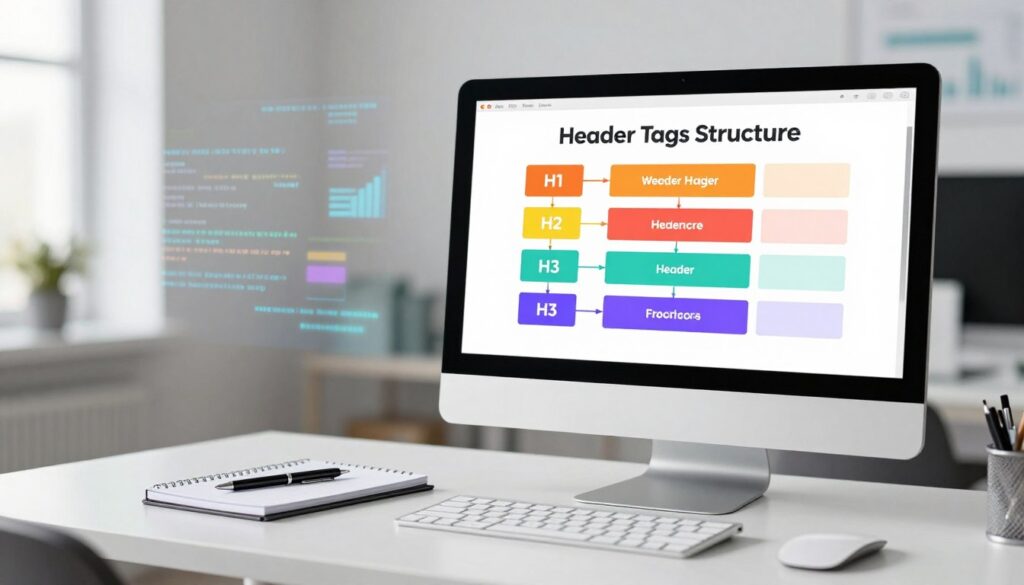
By mastering header tags and using them effectively, you can significantly enhance your website’s content structure and on-page SEO. This, in turn, can lead to better search engine rankings and a more engaging user experience.
Essential On-Page SEO Optimization Tips for Content Quality
The foundation of a successful SEO strategy lies in understanding and implementing essential on-page SEO optimization tips for content quality. High-quality content not only engages users but also helps search engines understand the relevance and value of your webpage.
Keyword Placement and Density Guidelines
Effective keyword placement and density are crucial for SEO. Strategic keyword placement helps search engines identify the main topics of your content.
Strategic Positioning in the First 100 Words
Placing your primary keyword within the first 100 words of your content is a best practice. This early signal to search engines indicates that your content is relevant to the search query.
Avoiding Over-Optimization
While keywords are important, over-optimization can lead to penalties. Ensure your keyword density remains natural and doesn’t exceed 2%.
Creating Content That Matches Search Intent
Understanding search intent is vital for creating relevant content. Search intent can be broadly categorized into informational and transactional intent.
Understanding Informational vs. Transactional Intent
Informational intent refers to users seeking information on a particular topic, while transactional intent indicates users ready to make a purchase or take a specific action. Tailoring your content to match the user’s intent improves its effectiveness.
The Role of Content Length in Rankings
Content length can impact your webpage’s ranking. Generally, longer, more comprehensive content tends to perform better in search engine results.
However, the quality of content is more important than quantity. Ensure that your content is engaging, informative, and relevant to the user’s search query.
Create SEO-Friendly URLs That Search Engines Love
Search engines favor websites with well-structured URLs, making them a key component of on-page SEO. A well-crafted URL not only helps search engines understand the content of a page but also improves user experience by providing a clear indication of what to expect from the page.
URL Structure Best Practices
Following best practices for URL structure is essential for maximizing their SEO potential. This includes making sure URLs are both short and descriptive.
Keeping URLs Short and Descriptive
Short URLs are not only easier for users to remember but also tend to perform better in search engine results. Aim for URLs that are concise yet descriptive enough to convey the content of the page.
Using Hyphens to Separate Words
When it comes to separating words in URLs, hyphens are the preferred choice. They are more readable and help search engines understand the URL structure better than underscores or other characters.

When and How to Use Keywords in URLs
Incorporating relevant keywords into your URLs can enhance their SEO value. However, it’s crucial to do this naturally and avoid keyword stuffing, ensuring the URL remains descriptive and easy to read.
Best practices suggest including the primary keyword or phrase near the beginning of the URL, as this can have a more significant impact on search engine rankings.
Leverage Internal Linking to Boost Page Authority
A well-planned internal linking strategy is vital for increasing your website’s page authority and search engine rankings. Internal linking helps search engines understand your website’s structure and content hierarchy. By linking to relevant pages within your website, you can improve user experience, increase engagement, and enhance your website’s overall visibility.
Strategic Internal Link Placement
Strategic internal link placement is critical to maximizing the benefits of internal linking. This involves identifying high-authority pages and creating topic clusters to guide users and search engines through your content.
Linking from High-Authority Pages
Linking from high-authority pages to other relevant pages on your website can significantly boost their authority. Identify your top-performing pages and link to related content to distribute authority and improve overall rankings.
Creating Topic Clusters with Internal Links
Creating topic clusters involves grouping related content together and linking between these pages. This helps search engines understand your content’s relevance and authority on a particular topic. For example, if you have a series of articles onimproving on-page SEO, you can link them together to create a comprehensive resource.
Anchor Text Optimization for Internal Links
Anchor text optimization is crucial for internal links. Use descriptive and relevant anchor text that indicates the content of the linked page. Avoid using generic text like “Click here” and instead opt for descriptive text that includes target keywords.
Some best practices for anchor text optimization include:
- Using descriptive text that includes target keywords
- Avoiding generic text like “Click here”
- Varying anchor text to maintain a natural link profile
How Many Internal Links Are Enough?
The ideal number of internal links varies depending on the content and structure of your website. A general rule of thumb is to include 2-5 internal links per page, depending on the content’s length and relevance. However, the key is to link to relevant and useful content that enhances the user experience.
By implementing a strategic internal linking strategy, you can improve your website’s page authority, enhance user experience, and boost search engine rankings. Regularly reviewing and updating your internal linking can also help you stay on top of youron-page SEO checklistand ensure that your website remains optimized for search engines.
Optimize Images for Speed and Searchability
Effective image optimization is vital for a website’s success, influencing both its search engine ranking and user engagement. Optimizing images involves several key strategies that can significantly enhance your website’s performance.
Image File Names and Alt Text Best Practices
One of the foundational steps in image optimization is ensuring that your image file names and alt text are optimized for search engines. This not only helps in improving your website’s SEO but also enhances the accessibility of your site.
Writing Descriptive Alt Text for Accessibility
Alt text provides a description of an image for search engines and users who may not be able to view it. Writing descriptive alt text is crucial for accessibility and SEO. It should be concise yet descriptive, including the target keyword where relevant.
Including Keywords in Image File Names
When it comes to file names, using descriptive names that include target keywords can improve your image’s visibility in search results. For example, instead of naming an image “IMG_1234.jpg,” use a descriptive name like “seo-friendly-content-creation-tips.jpg.”
Compressing Images Without Losing Quality
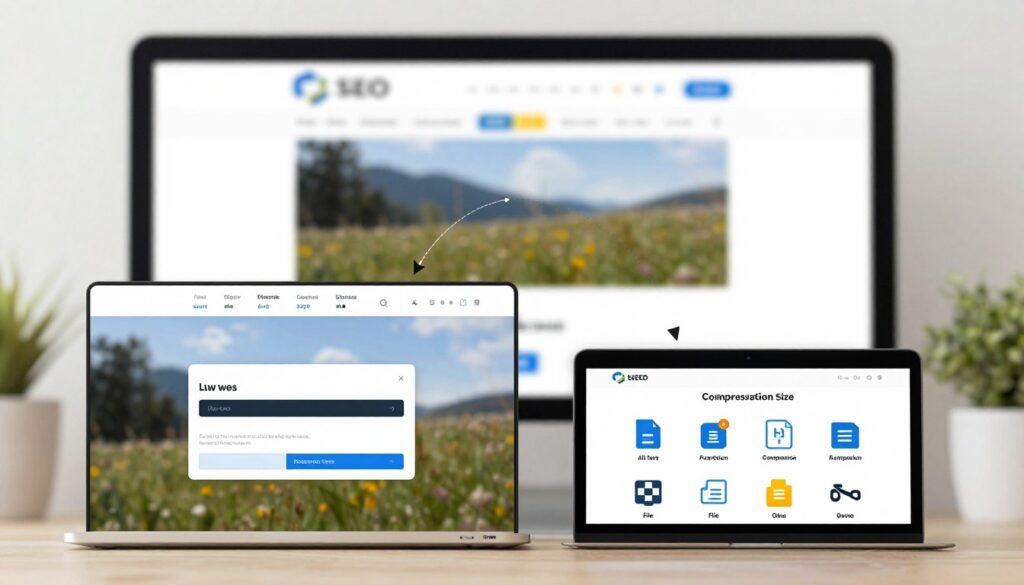
Image compression is critical for reducing file sizes, which in turn improves your website’s load times. There are several tools available that can compress images without significantly affecting their quality.
Best Tools for Image Compression
Some of the top tools for image compression include TinyPNG, ImageOptim, and ShortPixel. These tools use various algorithms to reduce file sizes while maintaining the image’s quality.
Choosing the Right Image Format
The choice of image format can also impact your website’s performance. Different formats have different advantages, and choosing the right one depends on the type of image and its intended use.
WebP vs. JPEG vs. PNG
WebP is a modern format that offers superior compression compared to JPEG and PNG. However, JPEG is still widely used for photographs due to its broad compatibility. PNG is ideal for images that require transparency. Understanding the strengths of each format can help you make informed decisions about which to use.
By implementing these image optimization strategies, you can significantly improve your website’s speed and searchability, contributing to a better user experience and improved search engine rankings.
Improve Page Speed for Better User Experience and Rankings
A fast-loading website is essential for providing a good user experience and achieving better search engine rankings. Page speed is a critical factor that can significantly impact user engagement, conversion rates, and ultimately, the success of a website.
Key Factors Affecting Page Load Time
Several factors can affect how quickly a webpage loads. Understanding these factors is crucial for optimizing page speed.
Minimizing HTTP Requests
One of the primary factors affecting page load time is the number of HTTP requests made by the browser to load a webpage. Minimizing HTTP requests can significantly improve page speed. This can be achieved by reducing the number of elements on a page, such as images, scripts, and stylesheets.
Enabling Browser Caching
Another critical factor is enabling browser caching. By allowing browsers to cache certain resources, repeat visitors can load your website more quickly, as their browsers don’t need to fetch all resources from the server again.
Tools to Test and Monitor Your Site Speed
To optimize page speed, it’s essential to have the right tools to test and monitor your website’s performance.
Google PageSpeed Insights
Google PageSpeed Insights is a powerful tool that analyzes your website’s performance and provides recommendations for improvement. It offers insights into both mobile and desktop performance.
GTmetrix and Pingdom
Other useful tools include GTmetrix and Pingdom, which provide detailed reports on your website’s load time, page size, and the number of requests made.
| Tool | Key Features | Usefulness |
|---|---|---|
| Google PageSpeed Insights | Performance analysis, recommendations | High |
| GTmetrix | Detailed performance reports | High |
| Pingdom | Load time, page size analysis | Medium |
Quick Wins for Faster Page Performance
There are several quick and effective ways to improve your website’s page performance. These include optimizing images, leveraging browser caching, and minimizing CSS and JavaScript files.
As noted by web performance expert,
“Optimizing images can significantly reduce the overall page size, leading to faster load times.”
By implementing these strategies, you can enhance your website’s user experience and improve its search engine rankings.
Implement Schema Markup to Stand Out in Search Results
Schema markup is a powerful tool that can elevate your website’s visibility in search engine results. By providing search engines with additional context about your content, schema markup helps them understand and display your information more effectively.
What Is Schema Markup and Why It Matters
Schema markup is a form of microdata that is added to a website’s HTML to provide search engines with more information about the content on a particular page. It is a way to communicate with search engines, helping them to better understand the context and meaning of the content, which can lead to enhanced search result listings.
“Schema.org is a collaborative project between Google, Bing, Yahoo, and Yandex to create a common vocabulary of structured data.” –
Common Schema Types for Different Content
There are various types of schema markup that can be applied to different kinds of content.
Article and Blog Post Schema
Using schema markup for articles and blog posts can help search engines understand the topic, author, and publication date. This can lead to richer search results, including the display of the article’s image and a brief summary.
Product and Review Schema
For e-commerce sites, product schema markup is crucial. It allows search engines to display detailed product information, such as price, availability, and reviews, directly in the search results.
Local Business Schema
Local businesses can benefit from schema markup by providing search engines with information about their business, including address, hours of operation, and contact details. This can improve local search visibility.
How to Add Schema to Your Website
To add schema markup to your website, you can manually add the microdata to your HTML or use tools like Google’s Structured Data Markup Helper.
| Schema Type | Description | Benefits |
|---|---|---|
| Article/Blog Post | Provides details about the article or blog post. | Rich snippets in search results. |
| Product | Offers detailed product information. | Enhanced product listings. |
| Local Business | Provides business details like address and hours. | Improved local search visibility. |
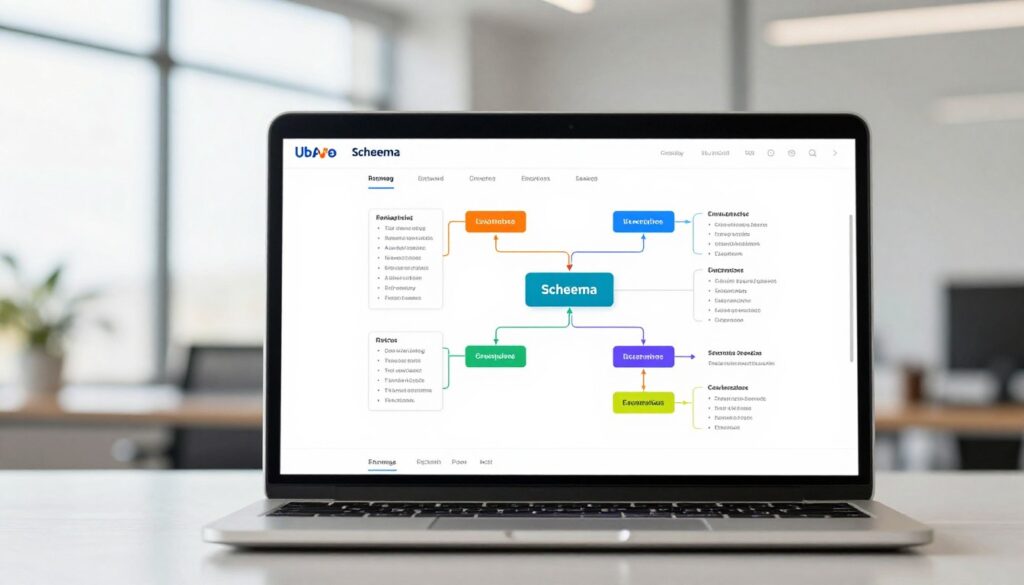
By implementing schema markup, you can significantly improve your website’s visibility and standing in search engine results, making it more likely for users to click through to your site.
Monitor and Update Your Content Regularly
The ever-changing landscape of search engine algorithms makes it necessary to continually monitor and update your website’s content. This ongoing process ensures that your website remains relevant and competitive in search engine rankings.
Tracking Your On-Page SEO Performance
To effectively monitor your on-page SEO, you need to focus on several key performance indicators.
Key Metrics to Monitor
Regularly checking metrics such as page views, bounce rate, and average session duration provides insights into how users interact with your content.
- Page Views: Indicates the total number of times your pages are viewed.
- Bounce Rate: Shows the percentage of visitors who leave your site without taking further action.
- Average Session Duration: Reveals how long users stay on your site.
| Metric | Description | Importance |
|---|---|---|
| Page Views | Total views of your pages | High |
| Bounce Rate | Percentage of visitors who leave without further action | High |
| Average Session Duration | Time spent by users on your site | Medium |
Using Google Search Console Effectively
Google Search Console is a powerful tool for monitoring your website’s performance in search results. It helps you understand how Google views your site, identify issues, and optimize your content for better rankings.
When and How to Refresh Existing Content
Refreshing your existing content is crucial for maintaining its relevance and improving your site’s overall SEO.
Identifying Underperforming Pages
Use analytics tools to identify pages that are not performing well in terms of traffic or engagement. These pages are prime candidates for refreshes and updates.
Updating Statistics and Examples
Keeping your content up-to-date with the latest statistics and examples not only makes it more relevant but also more attractive to both users and search engines.
By regularly monitoring your on-page SEO performance and refreshing your content, you can significantly improve your website’s visibility and ranking on search engines.
Conclusion
By implementing the on-page SEO optimization tips outlined in this article, you can significantly improve your website’s visibility and search engine rankings. Crafting compelling title tags, optimizing meta descriptions, and mastering header tags are just a few strategies that can drive more traffic to your site.
Creating seo-friendly content is crucial for resonating with both your audience and search engines. By focusing on keyword placement, content quality, and internal linking, you can enhance your website’s overall performance.
Now that you’re equipped with these valuable on-page SEO optimization tips, it’s time to put them into action. Start optimizing your website today and watch your online presence grow.
FAQ
What are the most effective on-page seo optimization tips for beginners?
To start seeing results, focus on high-impact areas like optimizing title tags, writing unique meta descriptions, and ensuring your primary keywords appear within the first 100 words of your content. These foundational on-page seo optimization tips help search engines like Google understand your page’s relevance immediately.
Why are website optimization strategies so critical for my business’s success?
Comprehensive website optimization strategies bridge the gap between your content and your target audience. By focusing on both search engine algorithms and user experience (UX), you increase your chances of ranking higher, which naturally leads to more organic traffic, higher credibility, and better conversion rates.
What are the current seo best practices for writing title tags?
The best approach is to keep your titles between 50-60 characters to avoid being cut off in search results. Place your primary keyword near the beginning and avoid keyword stuffing or creating duplicate titles across different pages of your site.
How can I go about optimizing meta tags to improve my click-through rate?
When optimizing meta tags, specifically your meta descriptions, you should treat them like ad copy. Include a clear Call-to-Action (CTA), highlight your unique value proposition, and keep the length around 150-160 characters to ensure the full message is visible to users.
What should I include in my on-page seo checklist for content structure?
Your on-page seo checklist should always include a proper header hierarchy. Use only one H1 tag per page for the main title, and organize sub-topics with H2 and H3 tags. This helps search engines crawl your site efficiently and makes your content much easier for visitors to read.
How can I focus on seo-friendly content creation that matches search intent?
Successful seo-friendly content creation requires understanding whether a user is looking for information (informational intent) or ready to buy (transactional intent). Align your format and tone with these needs, and ensure your content length is sufficient to cover the topic deeply without adding unnecessary fluff.
What are some effective seo techniques for better ranking regarding image optimization?
One of the best seo techniques for better ranking is optimizing your images by using descriptive alt text for accessibility and including keywords in the file names. Additionally, use modern formats like WebP and tools like TinyPNG to compress files, which significantly boosts your page loading speed.
How does improving page speed contribute to improving on-page seo?
Speed is a confirmed ranking factor for Google. By improving on-page seo through technical fixes—like minimizing HTTP requests and enabling browser caching—you reduce bounce rates. Tools like GTmetrix or Pingdom can help you identify exactly what is slowing your site down.
How does internal linking help with page authority?
Strategic internal linking allows you to pass “link equity” from your high-performing pages to newer or lower-authority content. By creating topic clusters and using descriptive anchor text, you help search engines discover more of your content and understand the relationship between different pages.
What is schema markup and how does it help me stand out?
Schema markup is a form of microdata that helps search engines provide more informative results for users. By implementing Article, Product, or Local Business schema, your site can earn rich snippets, such as star ratings or price ranges, which make your listing much more attractive in the search results.
Why is it necessary to monitor performance through Google Search Console?
Google Search Console provides direct feedback on how your site is performing in search. It allows you to identify underperforming pages that need a content refresh, track which keywords are driving clicks, and ensure that your on-page seo optimization tips are actually yielding a positive return on investment.

I am an SEO expert with over 7+ years of hands-on experience in search engine optimization, content strategy, and organic growth. I specialize in creating SEO-driven blog content that helps businesses improve search visibility, attract qualified traffic, and achieve sustainable rankings on Google. With a strong understanding of on-page SEO, keyword research, technical SEO, and content optimization, I focus on delivering data-backed, user-focused content that converts.
Related Posts
Comprehensive Guide to SEO Service in Patela
Welcome to our comprehensive guide to SEO Service in Patela.…

Get Expert SEO Service in Moheda
In today's digital landscape, having a robust online presence is…

SEO Service in Afjalpur: Elevate Your Business Online
In today's digital landscape, businesses in Afjalpur are constantly looking…